
How to Set Up a Google Business Profile for Your Home Care Agency
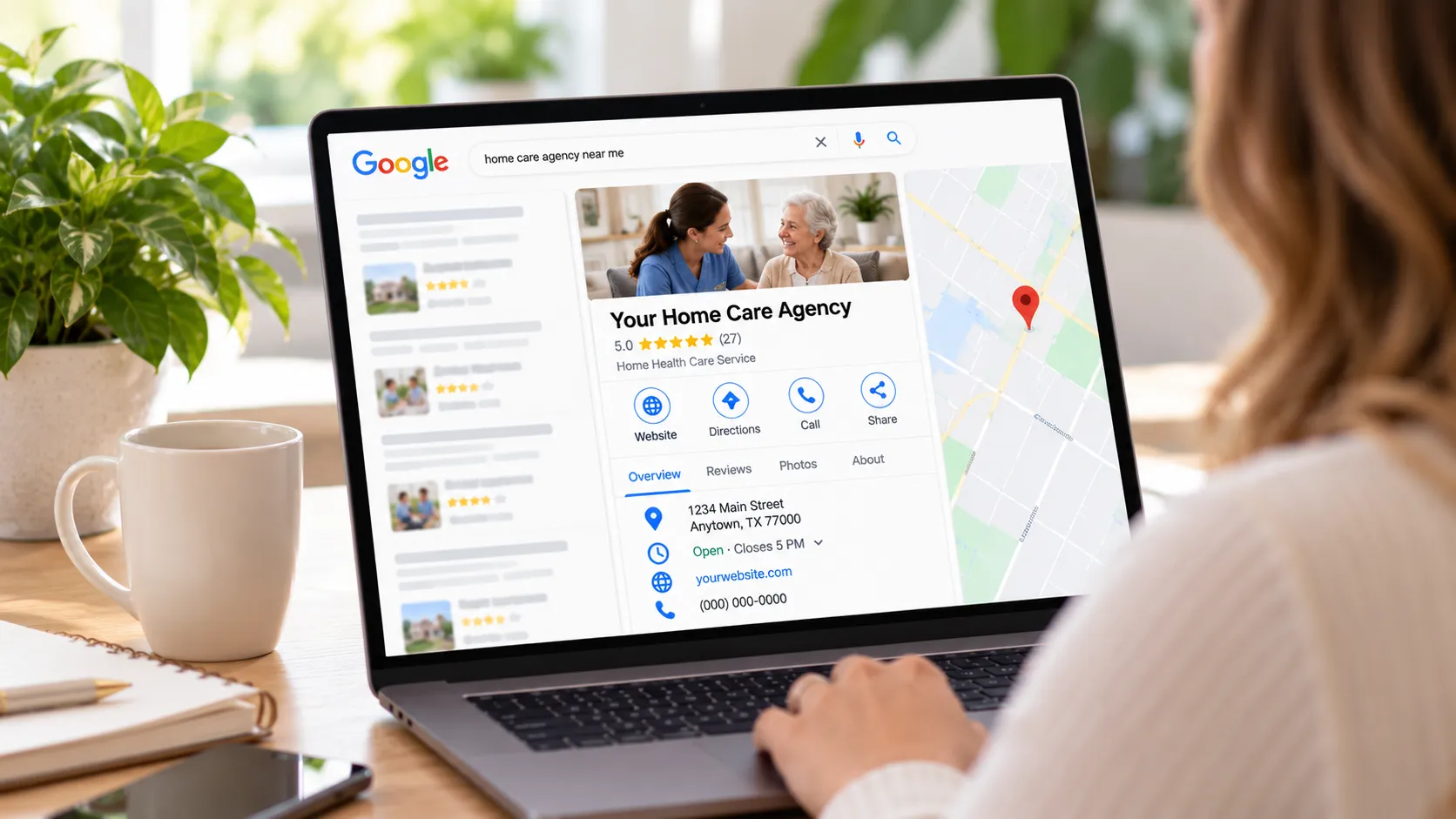
When a family needs care for Mom, they Google “home care near me.” Then they look at the stars before they ever pick up the phone. If your agency isn’t there, or your profile looks empty, they call the agency down the street.
And families are picky. BrightLocal’s 2026 Local Consumer Review Survey found 97% of consumers read reviews for local businesses, and 31% will only use a business rated 4.5 stars or higher (up from 17% the year before).
The good news: setting up a Google Business Profile is free and takes about an hour. This guide walks you through it step by step. It also covers the one review mistake that has gotten healthcare providers fined.
Is a Google Business Profile free for home care agencies?
Yes. A Google Business Profile costs $0 to create and keep. You only pay if you hire someone or buy software to help manage it.
How do I set up a Google Business Profile for a home care agency?
Go to business.google.com, add your licensed business name and category, set your agency up as a service-area business, and verify. Here’s each step.
Step 1: Use a company Google account
Sign in with a Google account the agency owns, like office@youragency.com. Don’t use your personal Gmail or let a freelancer own it. If that person leaves, you could lose access to your own listing.
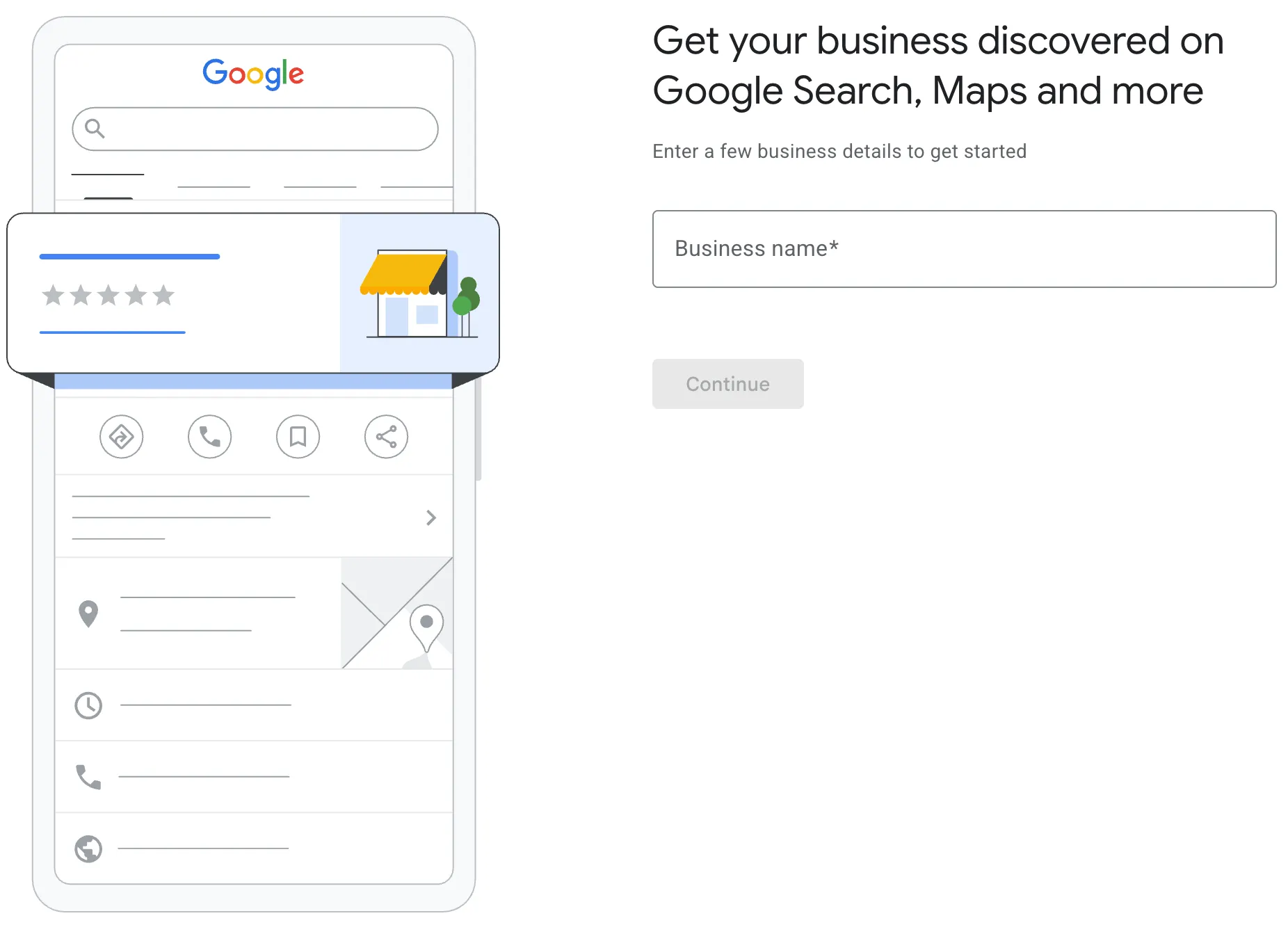
Step 2: Enter your exact licensed name
Type your business name exactly as it appears on your state license. Don’t add extra words like “Best Home Care in Houston.” Google can suspend profiles for that. License names and types vary by state, so double-check yours.
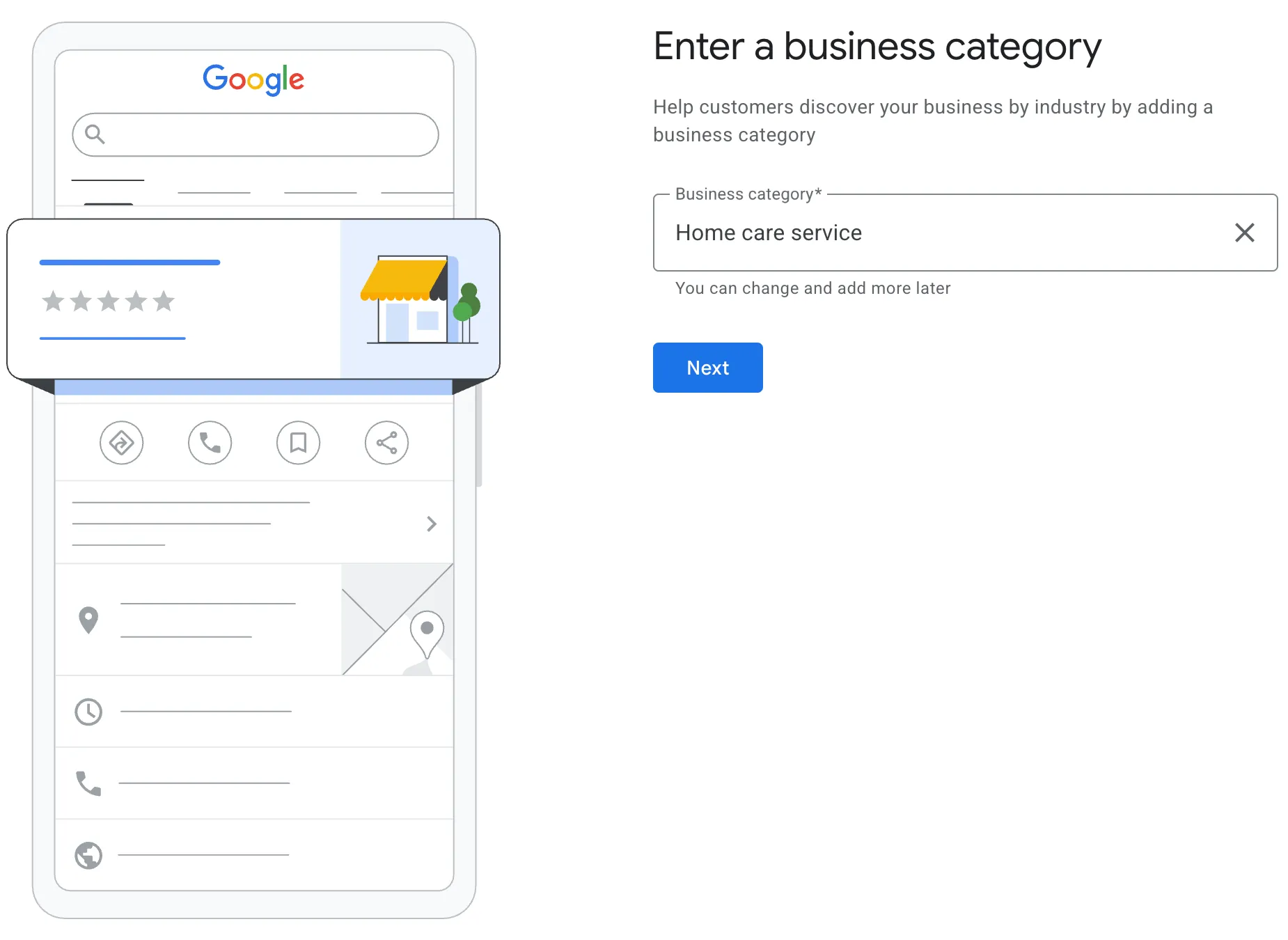
Step 3: Pick your categories
You get one primary category and up to nine more. Type “home care” or “home health” into the category box and pick the closest match to what your agency does. Your primary category matters most, so choose the one that best describes your core service.
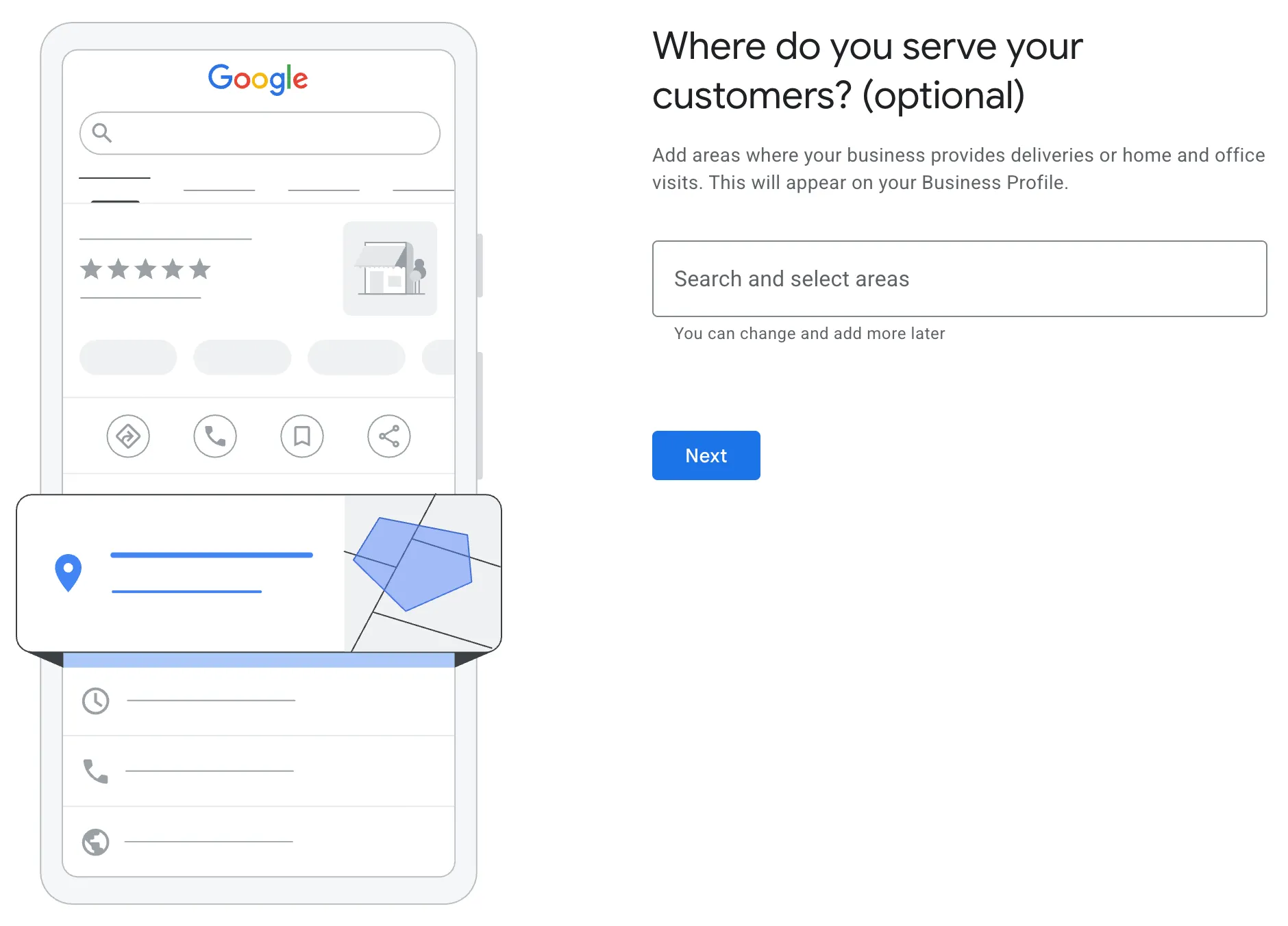
Step 4: Hide your address and add your service area
Most home care agencies go to the client, so Google treats you as a service-area business. Turn off “Show business address to customers” and list the cities or counties you serve. Keep your service area within about two hours of driving from your office. (More on the address rules below.)
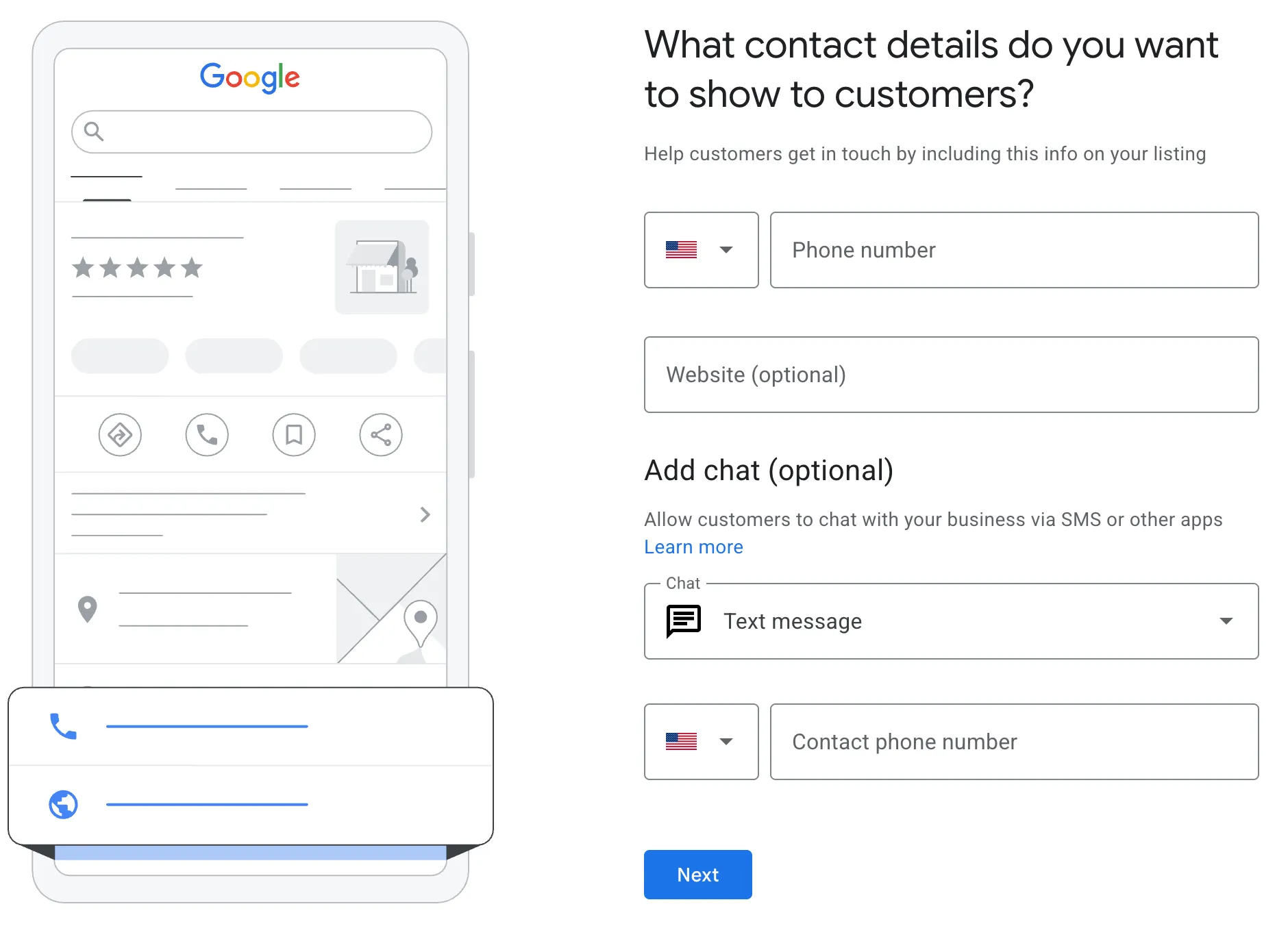
Step 5: Fill in everything else
Add your phone number, website, hours, and a list of services (personal care, companion care, respite, skilled nursing, and so on). Write a short description in plain words, like “in-home care for seniors in Cook and DuPage counties.” A complete profile gives Google more reasons to show you.
Step 6: Verify your profile
Google picks your verification method for you, and you can’t change it. For most agencies now, that means a video. Google’s video rules say it has to be at least 30 seconds, one continuous take, recorded on your phone through your profile. Show your signage, your office, and proof you run the business (like your license on the wall). Google’s review can take up to five business days.
Step 7: Add real photos
Post photos of your office, your team, and caregivers who agree to be photographed. Never post client photos or “success stories” without written HIPAA authorization.
Should a home care agency hide its address on Google?
Usually, yes. Google’s guidelines say service-area businesses should hide their address. If families don’t come to your office for care, you’re a service-area business.
A few rules trip agencies up:
- Home-based agency? Hide the address. Your home should never show on Google Maps.
- No virtual offices. Google doesn’t allow a virtual office unless it’s staffed during business hours.
- One profile per real location. You can have a separate profile only if that location has its own staff and service area. A profile for every county you serve counts as a duplicate and can get you suspended.
If you do have a staffed office where families walk in, you can show the address and add a service area too.
How do I respond to Google reviews without violating HIPAA?
Never confirm that the reviewer is (or was) a client, and never mention any care details. Thank them, keep it general, and invite them to call the office. That’s it.
This isn’t a small risk. In 2023, a New Jersey provider paid $30,000 after replying to negative Google reviews with details about patients’ diagnoses and treatment. HHS found it happened with four different patients. And it’s not the only case.
Here’s a safe reply you can adapt. Change the wording each time so it sounds like a real person wrote it:
“Thank you for taking the time to share this. We take every concern seriously and would really like to talk. Please call our office at (555) 555-5555 and ask for our care manager.”
Notice what’s missing: no name, no “your mother’s visits,” no “our caregiver was there on time.” Even saying someone was a client can count as a disclosure.
Not sure HIPAA applies to you? A private-pay-only, non-medical agency may not be a HIPAA “covered entity.” If you bill Medicaid or insurance electronically, you almost certainly are. Either way, reply as if HIPAA applies. It protects your clients and your reputation.
How do I get more Google reviews for my home care agency?
Ask every family, every time, and send them a direct link to your review page. Never pay for reviews or offer anything in return. Keep them coming steadily, because 74% of consumers look for reviews from the last three months.
Use a direct review link
A direct review link takes families straight to the “write a review” box on your profile. They don’t have to search for your agency, scroll, or hunt for the right button. Fewer steps means more families actually follow through.
Here’s how to get yours:
- Sign in to your Google Business Profile.
- Click Ask for reviews (sometimes shown as “Get more reviews”).
- Copy the link Google gives you.
If you have more than one location, each profile has its own link, so make sure you grab the right one.
Once you have it, put it everywhere families already hear from you: a thank-you text after the first month of care, your email signature, your client newsletter, and a small card or QR code in your welcome packet. Send it to every family, not just the ones you think are happy.
Google has gotten stricter. Here’s what’s allowed and what can get your reviews deleted or your profile suspended:
| Allowed | Not allowed |
|---|---|
| Asking every client family for a review | Gift cards, discounts, or free hours for a review |
| Sending a review link by text or email after a care milestone | Asking only happy families (“review gating”) |
| Replying to every review, good or bad | Asking families to name a specific caregiver in their review |
| Printing your review link on a card or flyer | Pressuring a family to write a review during a visit |
Replying matters too. 80% of consumers say they’re more likely to use a business that responds to all of its reviews. Just skip the copy-paste replies, since about half of people are turned off by them.
Here’s the catch: once your profile starts working, you’ll have more client calls and more caregiver applicants to handle. More clients means more schedules to build, more visits to verify, and more claims to bill. That’s where GEOH comes in. GEOH puts scheduling, caregiver management, EVV, and billing in one place, so growth doesn’t turn into a paperwork pile-up.
Your Google Business Profile checklist
- Signed in with a company-owned Google account
- Business name matches your state license exactly
- Primary category plus a few relevant extras
- Address hidden (unless families visit a staffed office)
- Service area set to the cities or counties you actually serve
- Phone, website, hours, services, and description filled in
- Profile verified
- Office and team photos posted (no client photos)
- Review link ready to send to every family
- HIPAA-safe reply approach shared with anyone who answers reviews
FAQs
Why did my Google verification fail? The most common reasons are a video that’s too short, edited, or doesn’t clearly show your signage and office. Google will usually let you try again, sometimes with a different method.
Can my caregivers leave us a review? No. Google doesn’t allow reviews from employees or anyone with a business connection. Stick to client families.
Can I delete a bad review? No, only Google can remove a review. You can flag it if it breaks Google’s rules, like spam or a fake review. Otherwise, reply calmly and privately invite the person to call.
How long until my profile shows up on Google Maps? Your profile goes live after it’s verified, and verification can take up to five business days. Ranking higher takes steady work: complete info, fresh photos, and new reviews each month.
Should I pay someone to set this up? You don’t need to. Most owners can do it themselves in about an hour. Paying for help makes sense if you have several locations or no time to answer reviews.
Ready for the calls to start coming in?
A complete, verified Google Business Profile is one of the easiest ways to get found by families in your area. Set it up this week, ask every family for a review, and keep your replies HIPAA-safe.
When your agency starts growing, GEOH helps you schedule caregivers, verify visits with EVV, and get claims paid, all in one platform. Book a free GEOH demo to see how it works for agencies like yours.
Copyright © GEOH 2026